A Brief Foray Into GoodNotes for Academic Work (and how I use Obsidian instead)

This fall I decided to take a science class for fun, specifically an undergraduate biology class. I always wanted to take more science classes, but my undergraduate and graduate work took me in a direction that didn't require more than a cursory understanding of biology. When I found myself with a little bandwidth to give a class a try, I went for it.
Returning to higher education after a 23-year hiatus is interesting. Many things are exactly the same - course content, studying, syllabi, assignments, homework. Technology is the big change (as is being older than all the students and even the professors, but I will save that for another post).
The last time I was in school (graduate school, early 2000s), laptops were just beginning to appear in classrooms, but many students still used paper notebooks. Computers were used for writing assignments, but tests and homework exercises were mostly on paper. Cloud-based storage was not a thing, so a lost laptop or damaged laptop that hadn't been backed up could spell disaster.
Today, most students take notes on laptops or iPads. All course content is distributed electronically via Blackboard. It's all the same....but digital.
So of course being the note-taking nerd that I am, my biggest dilemma when starting this class was "How am I going to take notes?"
Adding another app to the mix
Despite using Obsidian for all my general note taking and "knowledge work," I got it in my head that Obsidian was not going to work for a biology class that included a mix of math and chemistry mixed in with tons of visual images and lab assignments. I have an iPad, so started off using GoodNotes, figuring this would allow me to easily handwrite formulas and take notes on PDFs. I envisioned cute little notebooks, aesthetically pleasing, neat handwriting combined with images. You know, the kind of GoodNotes porn that you see on TikTok.
Realizing that other app sucked
Initially, GoodNotes worked fairly well, but the system quickly began to fall apart. I had to set up a structure within GoodNotes and convert any document we received to a PDF. This class uses a mix of PDFs, Word documents, and PowerPoints. Converting the latter two formats to PDFs took time and information was sometimes lost in the process. The process was also more time consuming than I anticipated.
Handwriting, even digitally, also proved to be inefficient when taking notes. I can type faster than I can write, so writing by hand slowed me down during lectures. Turns out that decades of using a keyboard has decimated my ability to write by hand, even when that writing is digital. I think in keyboard. My handwriting was mid at best, and GoodNotes' AI handwriting clean-up tool was slow, buggy, and often changed letters.
As an app, GoodNotes worked well about 70% of the time, but the remaining 30% was a buggy nightmare. Sync almost always had to be manually initiated. Reports to customer service had me screaming “GET ME A HUMAN” into my computer. Complaints to GoodNotes went unanswered and unaddressed. Meanwhile increasingly buggy updates were released with more and more AI features baked in that no one seemed to be asking for (and that didn’t reliably work).
I eventually decided to revisit Obsidian for this class. It turned out that with a few plugins, skills, and Apple’s file system, Obsidian worked perfectly.
Apple's File Manager (aka, the secret sauce)
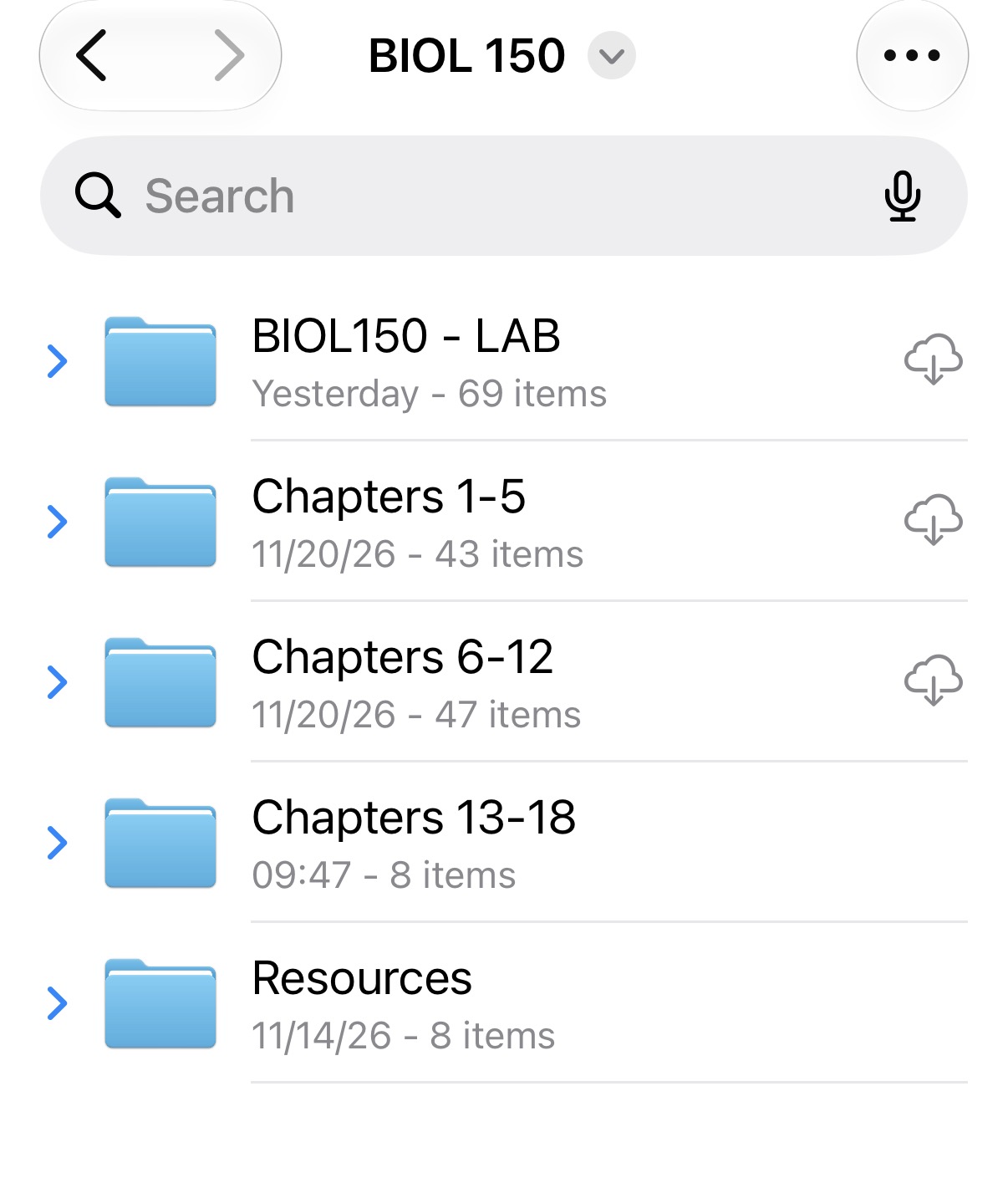
Apple's File Manager is a key reason using Obsidian for academic work has been successful. With so many different document formats to manage, keeping everything in Files works. I save all course content into subfolders. From here, I can copy an iCloud link to a document (and paste it into Obsidian); open it in Word or Powerpoint; or work directly in a PDF using Apple Pencil. (The last one is not done frequently, but is sometimes the fastest option in the middle of a lab class.) Word and PowerPoint integrate nicely with Files for saving those documents. The best part about this system is that there's no converting documents into anything or moving them around - they remain in their original format right where I originally download them from Blackboard.

Obsidian for Notetaking
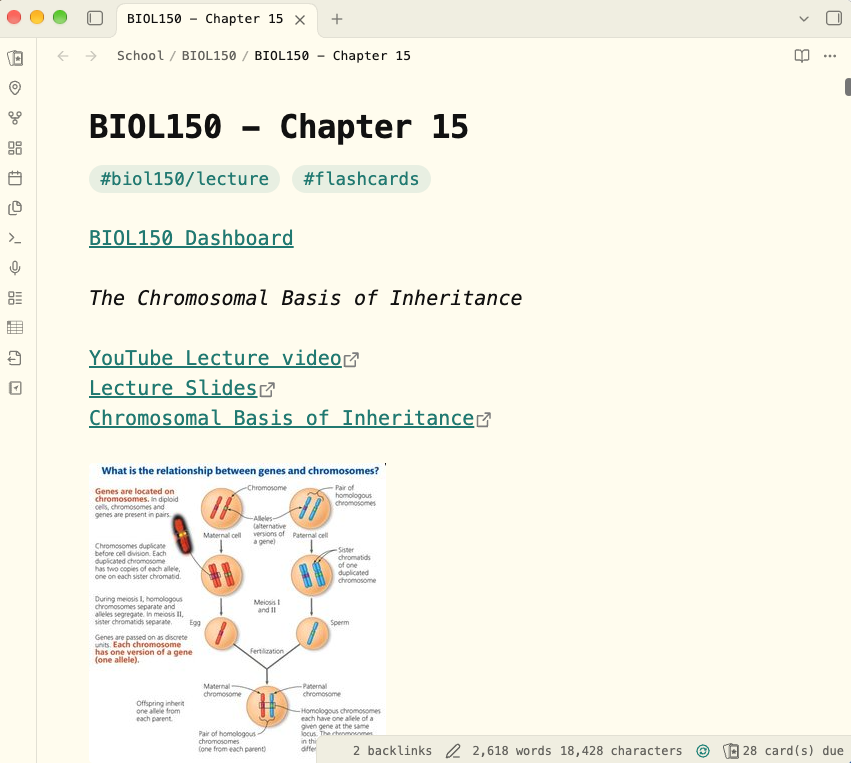
I take lecture and lab notes in Obsidian. Initially, I thought this would be too difficult given the course contains a lot of chemical and mathematical formulas, but I took a few minutes to learn and practice LaTeX and soon it was as easy as writing by these by hand (and much neater).
Each lecture note is structured similarly, with links at the top to relevant information (lecture slides, video of lecture, etc) and a consistent file naming structure.

Lab notes are a little trickier because there are often multiple documents associated with a single lab and not much actual note taking during a lab session. I keep a single note that is my "Lab Notebook" and jot down important information from each lab class there (headings divide up the lab sessions). I use iCloud links from Apple's file manager for all lab documents, which I can drop in my lab note and on my class dashboard.
Images
Dealing with images was another concern that initially had me thinking GoodNotes was the right platform. In GoodNotes I could lasso and copy images from a PDF version of our lecture slides and put it into my notes. This worked OK, but resulted in notebooks that took up a lot of storage space. In Obsidian I found a better solution that uses virtually no storage, but still produces image-rich notes.
First, I find the corresponding image online (all images used in our lecture have been easy to find using reverse-image search or Google). Once I find the image, I right-click and select "Copy Image Address."

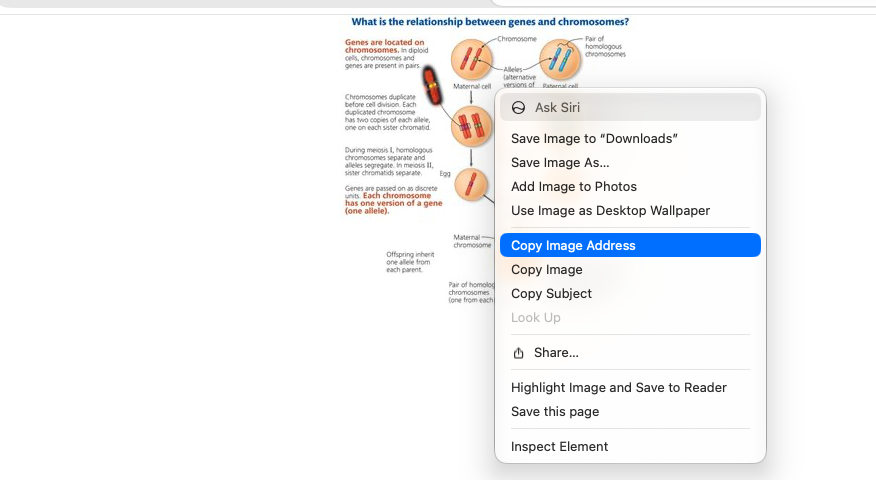
In Obsidian, I then display this using the link formatting to display any image.

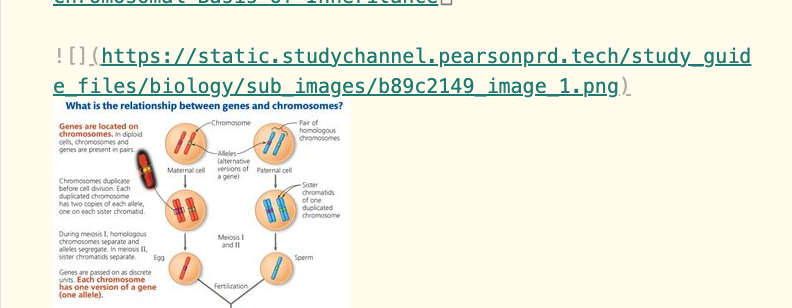
The end result is visual notes without hogging up all my sync storage.
The Dashboard
Like all projects, I set up a single note to serve as a "dashboard" for the class. This note includes links to all lecture notes, lab assignments, Blackboard, and other important information.
Plugins and Skills
The following plugins and skills are what I use.
- Notebook Navigator - keeps the visual interface neat and organized.
- Advanced Tables - helpful for creating and editing tables within notes
- FineNotes - offers a GoodNotes-style experience within Obsidian. I have not yet used this plugin extensively, but am trying it out as a potential lab notebook for this course. So far I’m VERY impressed by what this developer has done with this plugin.
- Spaced Repetition - excellent tool for creating flashcards within lecture notes.
- Readwise Official - I use Readwise Reader to turn all YouTube lecture videos into transcripts and sync those into Obsidian using this official plugin.
- LaTeX (supported natively in Obsidian for both math and chemistry) - Syntax for writing math and chemical equations. Easy to use with a little practice.
- Mermaid diagrams (supported natively in Obsidian) - Syntax for creating flow charts. Really helpful for breaking up content and displaying flow charts.
- Apple's file manager - the heart of this system. Where all documents are organized and saved. iCloud links are dropped into Obsidian.
Links, Links, Links
Linking to content within and outside Obsidian has been the key to success with this approach. The one really annoying thing about GoodNotes is that it was virtually impossible to create links to other materials or content. I am a heavy linker, so this was a showstopper for me. In Obsidian I can link internally to other notes and externally to anything relevant.
Do I miss handwriting notes?
Honestly, no. I hate taking notes by hand. The vision of aesthetic hand-written notes is not something I can achieve or even enjoy. The aesthetic notes on social media are not within my skill set, nor even something I enjoy. Typing is how I think, it's how I've come to process information.
I did, however, add the FineNotes plugin to Obsidian and it is really nice. It's sort of a stripped down version of GoodNotes, but has enough features to make it a decent replacement. I am not sure I will use it, but am enjoying playing around with it. I may try to use it to create a lab notebook, or as a way to justify having an Apple Pencil.
Skills I had to learn to make this system work
LaTex was the big one, but like learning Markdown, it was really easy. At first I'd ask ChatGPT to generate LaTeX syntax for a particular math problem or equation, but once I learned the syntax, that was not needed for this coursework. Both standard LaTex and LaTex using the mchem package for chemistry formulas work natively within Obsidian, so no plugin required.
Mermaid graphing has also been helpful. This is something I still rely on ChatGPT to create, as I find it harder to master than LaTeX, but I am getting there.
Final Thoughts on Using Obsidian for Academic Course Work
As someone who prefers typing over handwriting, Obsidian for class note-taking is preferred. Making Obsidian work for science classes does require a few plugins, skills, and integration with a file management system, but it can work surprisingly well with a little effort. It offers huge benefits, mostly through the ability to store notes long-term in a non-proprietary format and build a knowledge base over time.